Inertial Measurement Unit
A six axis IMU measures acceleration and rotation using an accelerometer and gyroscope. It supports experiments around Newton’s laws, acceleration, motion, pendulums and oscillations.

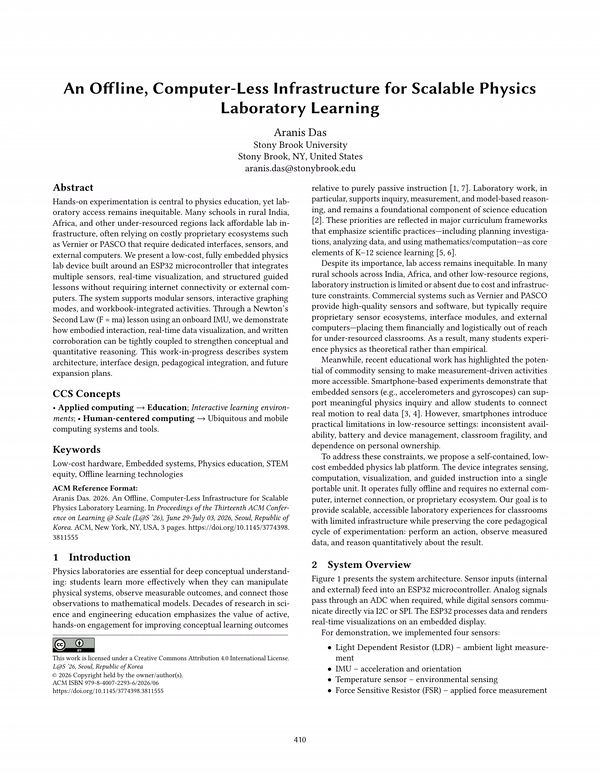
The intention of this project is to close a gap in physics education that I kept seeing: the lack of an all in one device for physics laboratory education. Physics labs usually require a computer, particularly for graphing and analyzing collected data.
Systems like Databot and PocketLab Air already handle data logging and graphing well when paired with computers or other devices. Vernier and PASCO offer extensive sensor and laboratory systems, but the hardware can become expensive when scaled across a classroom.
In my paper, An Offline, Computer-Less Infrastructure for Scalable Physics Laboratory Learning, I ask whether we really need computers for these labs, and whether hands on physics can be made more cost effective at the same time.
If the measurements are accurate, the screen is legible, and students have clear instructions in their workbooks, then the data they collect can be graphed and analyzed directly on the device. This makes the setup self contained, removes the need for an external plotting device, and significantly lowers the hardware cost per student.
Research question
How do we bring hands on physics labs to under resourced classrooms, allowing students to perform real time experiments and measure acquired data on a single platform?






A six axis IMU measures acceleration and rotation using an accelerometer and gyroscope. It supports experiments around Newton’s laws, acceleration, motion, pendulums and oscillations.
Measures changes in light intensity. It can be used for experiments involving illumination, the inverse square law and basic optics.
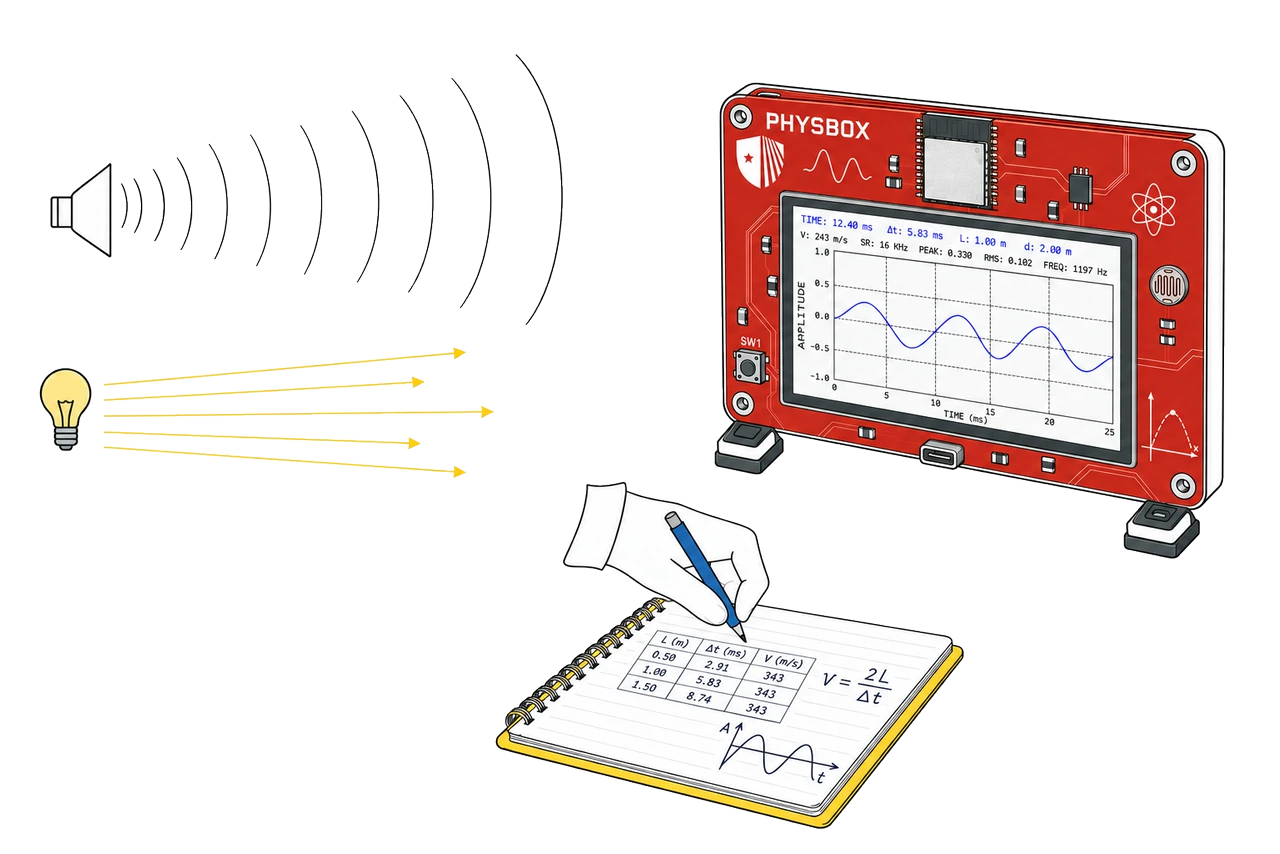
A digital I2S microphone captures sound directly on the device. Students can explore waves, frequency, resonance and experiments such as measuring the speed of sound.
JST connectors allow additional sensors to be attached when an experiment needs them. Planned examples include temperature probes, force sensitive resistors and ultrasonic distance sensors.
The built in touch display keeps measurement and analysis on the device. Students can view live readings, graph sensor data and interact with experiment tools without needing a separate computer.
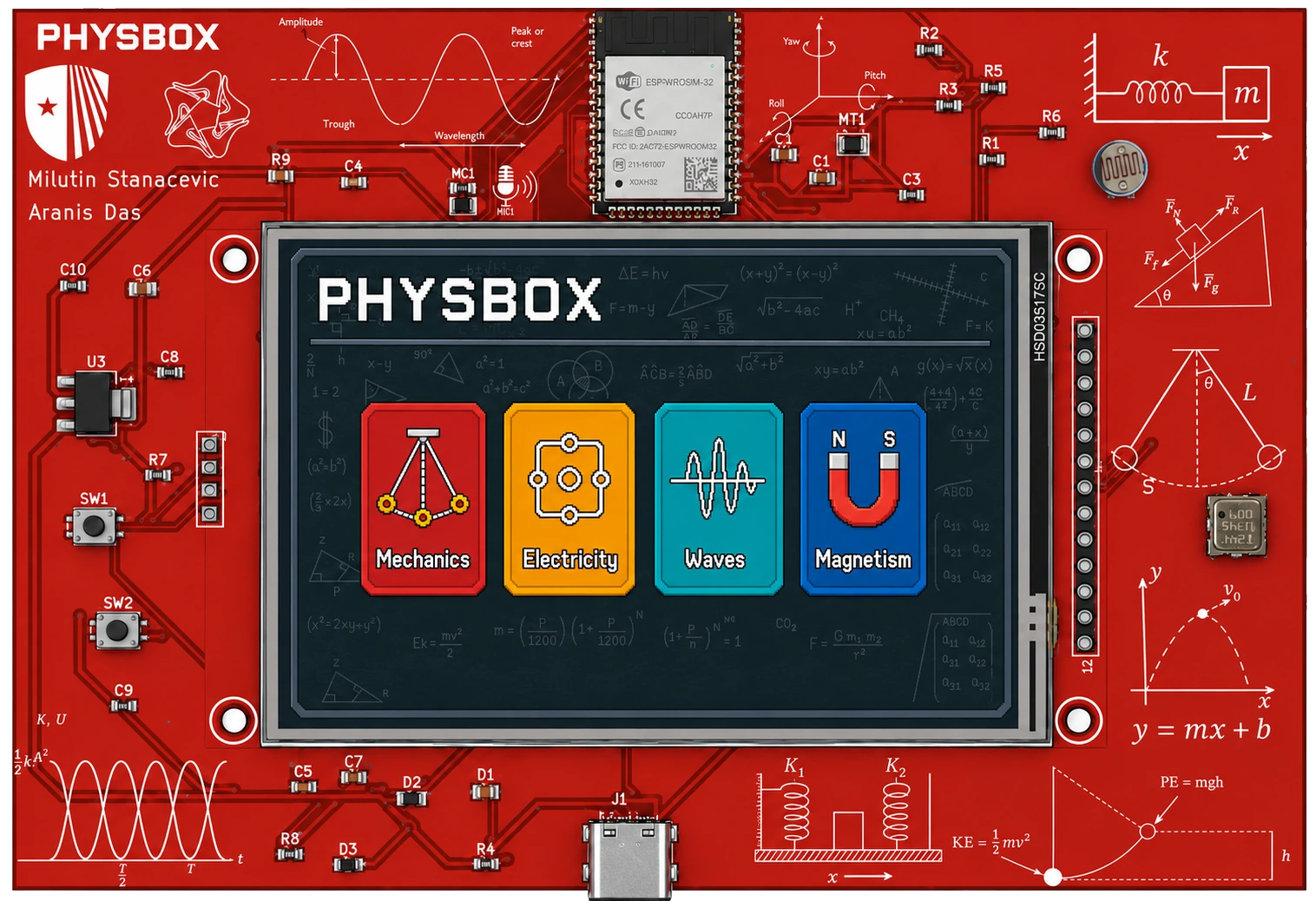
Perform experiment & collect data
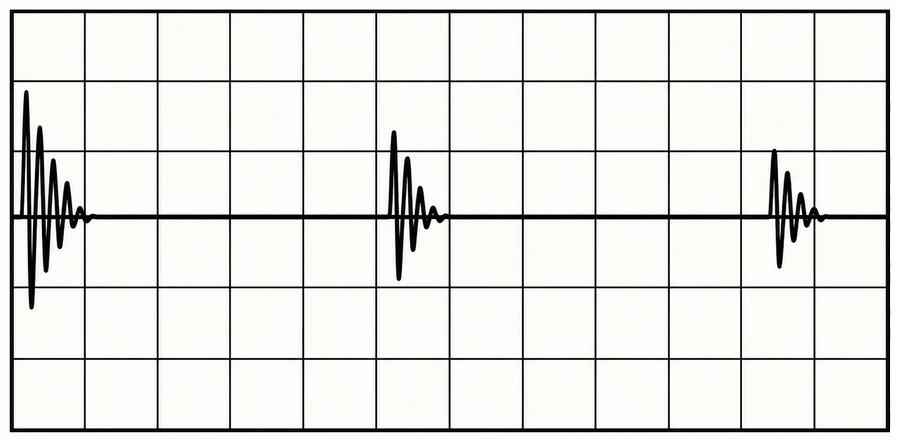
Visualize & analyze data on-device
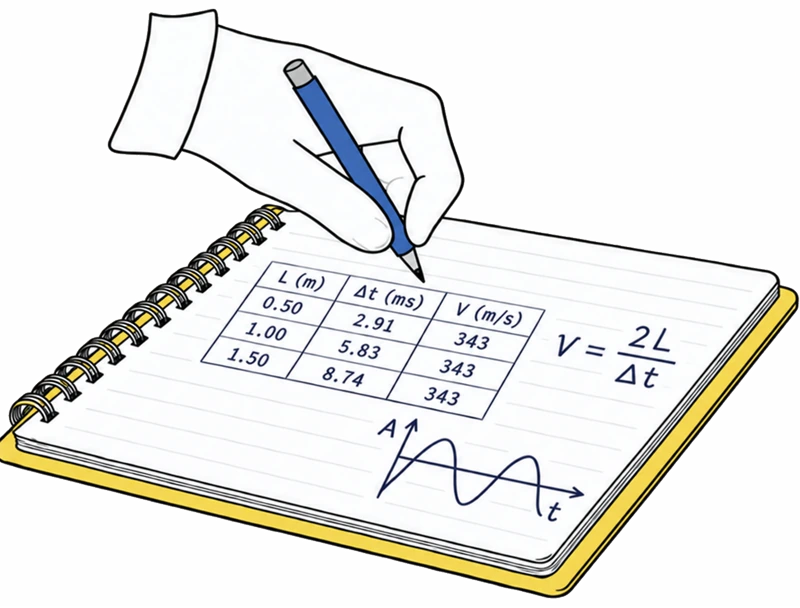
Record observations, data & equations in workbook

Connect evidence to physics concepts & laws
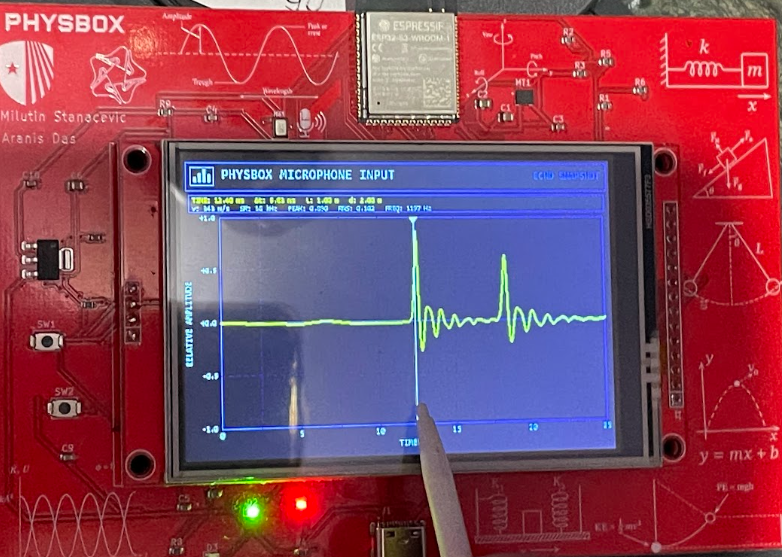
PHYSBOX uses a stylus that lets students select parts of graph for data extrapolation
PHYSBOX is designed so measurement, visualization, and analysis happen in the same place. Students can collect sensor data, see it plotted immediately, and make decisions during the experiment without moving to a laptop or separate graphing tool.
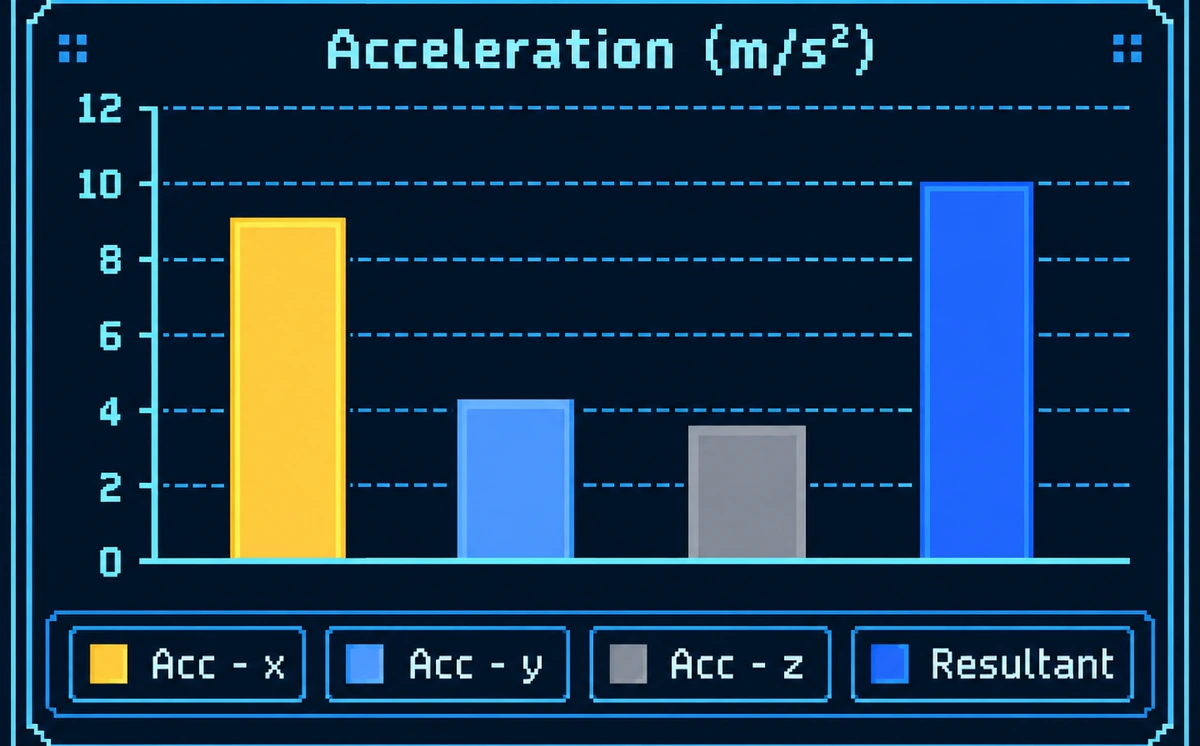
Compare individual X, Y, and Z acceleration components alongside the resultant magnitude.
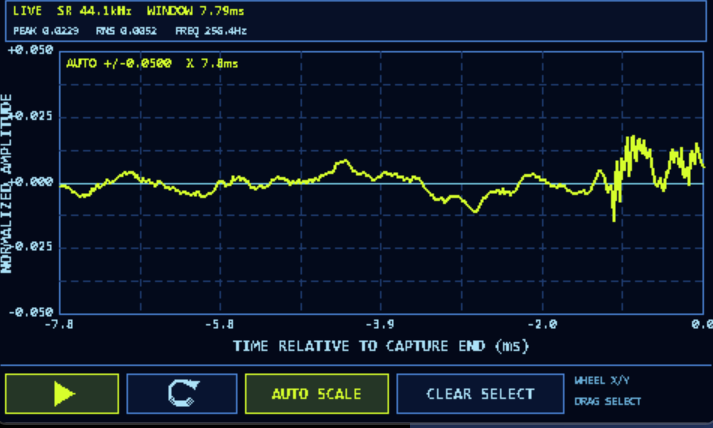
Pan, zoom, auto-scale, and drag-select regions of live data directly on the device for closer analysis.
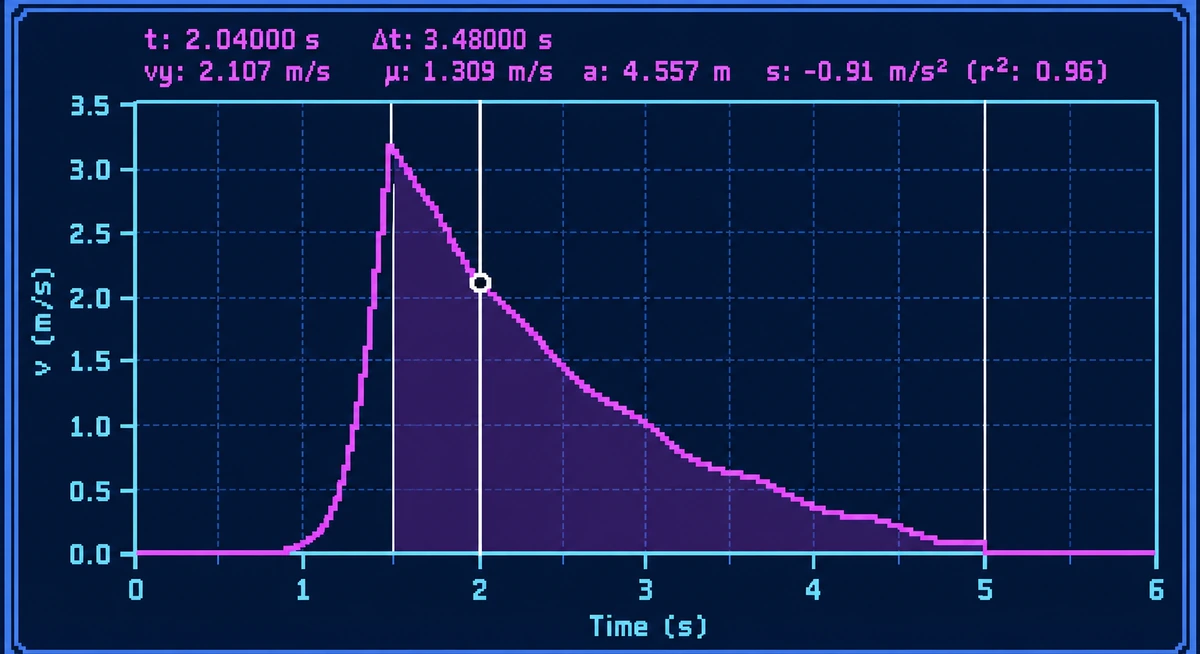
Select points or time windows directly on the graph to inspect Δt, velocity, mean values, slope, area, and fit quality.
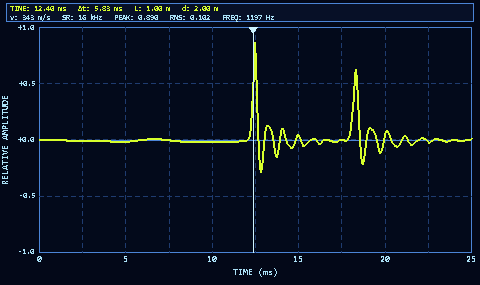
Zoom into time-domain sensor data and isolate individual peaks or events for precise timing measurements.
PHYSBOX activities are paired with guided workbooks that help students set up the experiment, record observations, and interpret the data they collect on the device.Workbooks can support a wide range of labs, including a pendulum lab. We take heavy inspiration from iOLab, as they have many of the same constraints we have: classroom use, inexpensive sensors, and accessible experiments.
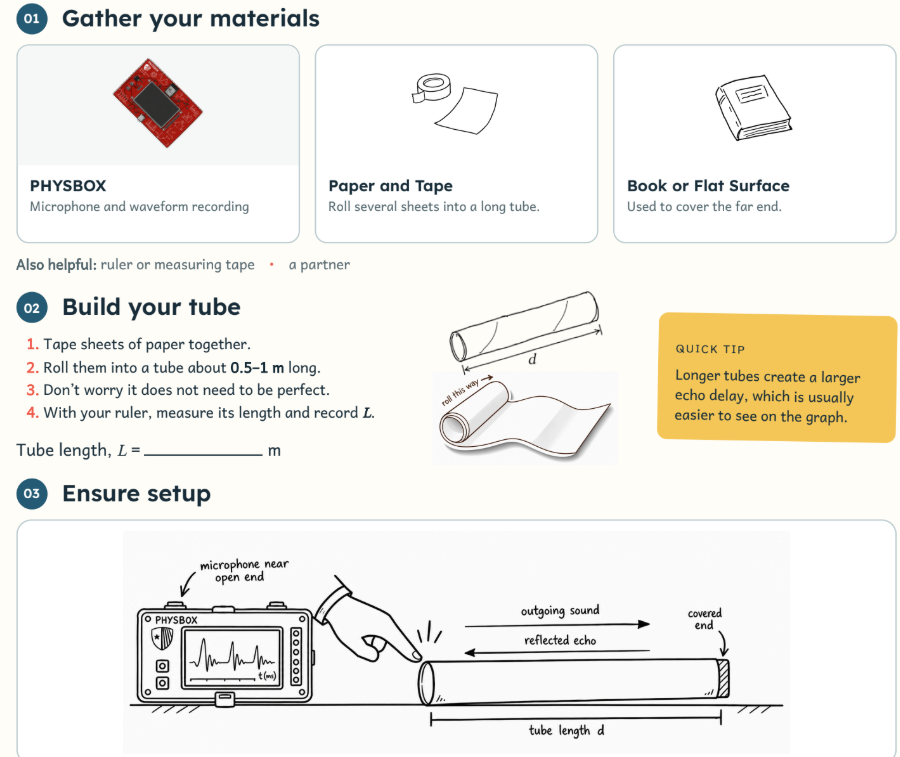
Note: Real recordings of data collected directly from PHYSBOX.
Live microphone input with measured signal values and a real-time FFT spectrum showing the frequency content of the captured sound.
Live accelerometer data across the X, Y, and Z axes, updating in real time as PHYSBOX is physically tilted and moved.
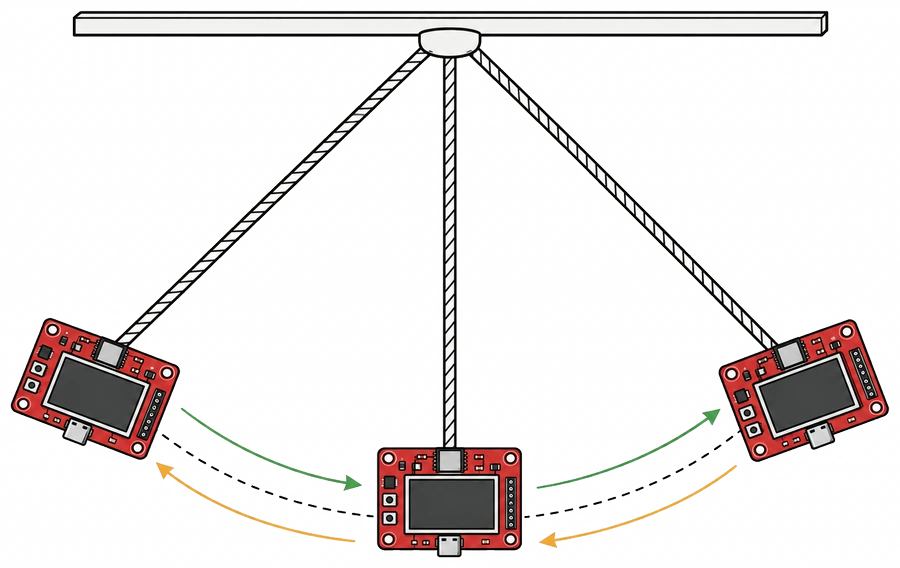
A proposed pendulum activity where students suspend PHYSBOX from a string, set it oscillating, and collect IMU data to study motion, acceleration, period, and oscillation behavior.
A custom ESP32-S3 based PCB was built to bring the processor, display and sensors onto one compact device. The goal was simple: PHYSBOX should handle the full experiment itself, from collecting data to showing and analyzing it on screen.
The board includes an IMU, microphone, light sensor and barometer. It also supports extra physics probes through external connectors.
Used to read sensors, process data, draw graphs and run the different experiment interfaces.
Gives students direct access to live graphs, measurements, data selection and experiment controls.
Used for FFT analysis, waveform inspection, acceleration tracking, peak detection and other physics measurements.
Used to prototype and test PHYSBOX interfaces on a computer before moving them onto the device.
SPI, I²C and I²S are used for communication between the processor, display, sensors and digital microphone.
Everything runs locally on PHYSBOX. Students can collect data, process it, graph it and inspect their results without needing a separate computer or internet connection.